Dochly vs Conga Composer: A Head-to-Head Comparison (2026)
This Dochly vs Conga Composer comparison looks at how the two tools differ on the things that actually decide a Salesforce document project: architecture, e-signature, pricing model and security. It is a fair, factual comparison, not a takedown.
Conga Composer is a capable, long-established document generation product. Dochly is a newer, 100% native Salesforce app that bundles document generation and e-signature together. The Dochly vs Conga Composer decision comes down to how much you value native processing, included signing and flat pricing.
To keep this honest, we compare on verifiable, structural differences rather than specific prices, which change over time. Pair this with our free vendor scorecard to weigh both tools on your own criteria.
Dochly vs Conga Composer: the quick verdict
In Dochly vs Conga Composer, Dochly’s distinguishing strengths are that it is 100% native to Salesforce, includes native e-signature in the plan, and uses flat per-user pricing, while Conga Composer is an established, widely-adopted product with a long track record. The right choice depends on which of those matters most to your team.
If keeping all document and signer data inside Salesforce, having e-signature included, and avoiding usage-based fees are priorities, Dochly is built precisely for that. If you are already invested in and satisfied with your current setup, the case to switch is weaker.
Choose Dochly if
You want 100% native processing, e-signature included, and flat pricing that does not scale with volume.
Conga Composer suits
Teams already standardised on it and satisfied with their current document workflow and cost.
Dochly vs Conga Composer: full comparison table
The table below compares Dochly vs Conga Composer on structural factors that a Salesforce team can verify, rather than on prices that change over time. Treat the Conga column as prompts to confirm directly with the vendor, since packaging evolves.
| Factor | Dochly | Conga Composer |
|---|---|---|
| Architecture | 100% native to Salesforce | Verify with vendor |
| Data residency | Stays inside your org | Verify with vendor |
| Native e-signature | Included from Starter up | Often a separate product |
| Pricing model | Flat per-user | Verify current model |
| Per-document / per-envelope fees | None | Verify with vendor |
| Inherits Salesforce security | Yes, natively | Verify with vendor |
| Setup | Installs from AppExchange | Installs from AppExchange |
| Maturity / track record | Newer product | Long-established |
Verify the Conga details directly. This comparison states Dochly’s verifiable properties and marks Conga rows as items to confirm, because pricing, packaging and e-signature bundling change over time. Always check current details with Conga before deciding.
Architecture: the core of Dochly vs Conga Composer
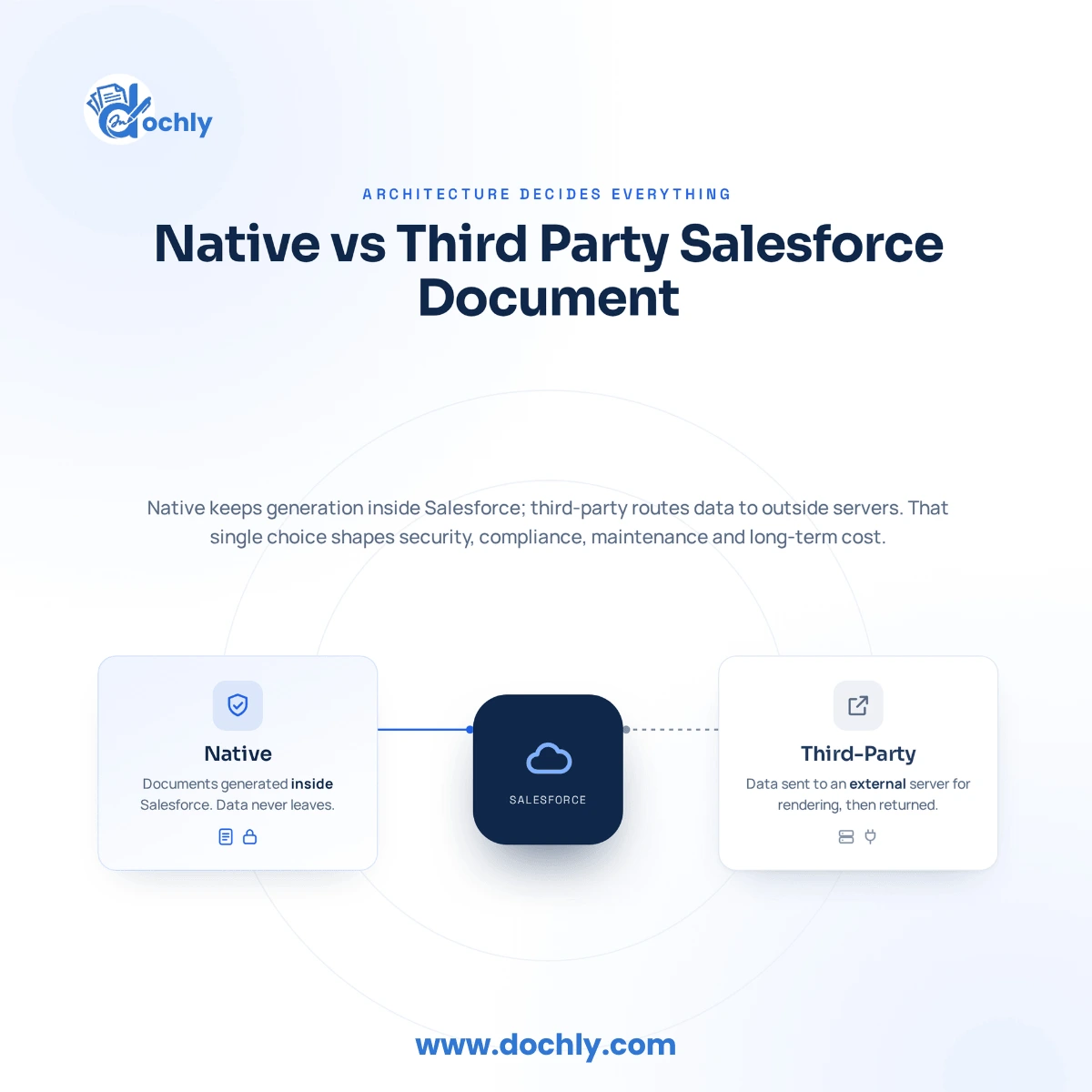
The most important factor in Dochly vs Conga Composer is architecture, because whether a tool runs 100% inside Salesforce determines your data residency, your security model and your compliance scope. It is also the hardest thing to change later.
Dochly is 100% native. Every document is generated, signed and stored inside your Salesforce org, so no record or signer data crosses the trust boundary.
Native architecture also means Dochly inherits your existing sharing rules and field-level security automatically, rather than reimplementing permissions in a separate system.
When you evaluate any document tool, confirm exactly where processing happens. For a regulated team, a tool that sends data to external servers can widen compliance scope in a way that is difficult to unwind. You can read how Salesforce describes AppExchange apps for background on native architecture.
E-signature: included vs separate
A key practical difference in Dochly vs Conga Composer is that Dochly includes native e-signature in the plan, so generation and signing happen in one native flow, whereas document tools are often paired with a separate e-signature product. That difference affects both cost and data exposure.
With Dochly, you generate a document and capture a legally binding signature without leaving Salesforce and without a per-envelope fee. Signer data stays in your org.
When signing is a separate external product, you add a second vendor, a second bill, and a path for signer data to leave Salesforce. If e-signature is part of your workflow, confirm how each option packages it before you decide.
Comparing the cost of separate e-signature? Our e-signature cost calculator shows what per-envelope and seat fees add up to against flat native pricing.
Pricing model: flat vs usage-based
In Dochly vs Conga Composer, the useful pricing comparison is the model rather than the sticker price: Dochly uses flat per-user pricing with no per-document or per-envelope fees, so your cost does not climb as document volume grows. We avoid quoting specific competitor prices because they change.
Flat per-user pricing is easy to forecast and defend to finance. Your bill is a function of headcount, not of how many documents your team happens to generate this quarter.
Usage-based or add-on pricing, by contrast, scales with volume, which can make a high-volume team’s cost harder to predict. To compare your own numbers, model total cost of ownership with your real seat count and volume, and confirm current Conga pricing with the vendor.
See Dochly in action
Watch how Dochly generates documents and captures signatures entirely inside Salesforce, so you can judge the Dochly vs Conga Composer difference for yourself.
Dochly vs Conga Composer: who should choose which
Choose Dochly if native processing, included e-signature and flat pricing are priorities; consider staying with Conga Composer if you are already standardised on it and satisfied with your workflow and cost. Neither is universally right; the fit depends on your priorities.
The most reliable way to settle Dochly vs Conga Composer is to score both tools on the same weighted criteria that reflect what your team actually needs, rather than on either vendor’s marketing.
List your must-haves
Data residency, included e-signature, pricing model, template workflow, and compliance requirements.
Weight them
Decide which criteria would make you walk away from a tool, and weight those highest before you look at either option.
Score both and verify
Score Dochly and Conga Composer on the same scale, confirming current Conga details with the vendor, and let the weighted total guide you.
Dochly vs Conga Composer: frequently asked questions
The honest summary of Dochly vs Conga Composer: Dochly wins for teams that want 100% native processing, included e-signature and flat pricing, while Conga Composer remains a capable, established choice for teams already invested in it.
Score both objectively with our free vendor scorecard, run your numbers through the ROI calculator, or see the Conga Composer alternative overview and flat pricing on the Dochly pricing page.